Pages

Sunday, January 9, 2022

Colors that match brown... 20 wonderful colors with brown

 Brown is characterized by having earthly qualities. It is a neutral , warm, natural and rich color… It is a color that indicates perfection and sophistication, respect and sincere and warm emotion, expressing wisdom and deep thought…

In the event that you decide to rely on it, whether in your designs, home decor or in your clothes, choosing colors that suit brown and in the appropriate degrees will open up wide horizons of creative coordination!

brown color ingredients

Brown color code is #964B00, obtained by:

  • Mix red and yellow (for the primary colors) and add black and white to adjust the color tone.
  • Mixing the two colors red with green (for optical colors), and white and black are added to adjust the color tone.
  • Mix black with orange.

Brown shades

Brown shades

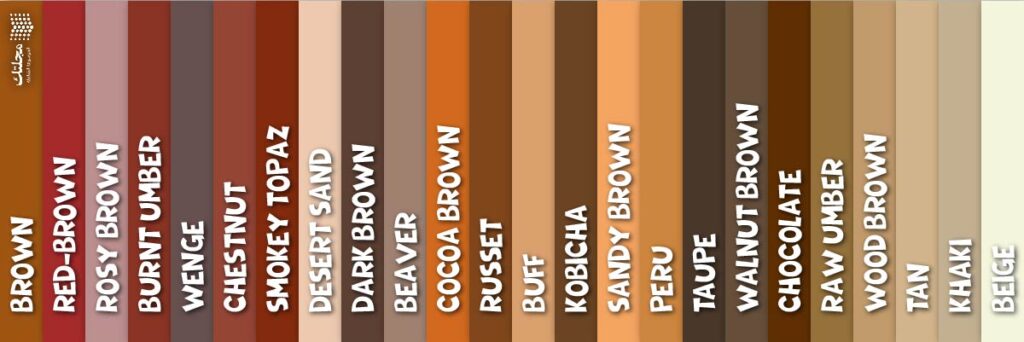
Brown is characterized by a wide spectrum of wonderful tones, the most important of which are:

  • Red-brown red.
  • Rosy brown.
  • Burnt umber.
  • وينج Wenge.
  • Chestnut brown.
  • Smokey topaz brown.
  • Desert sand.
  • Dark brown.
  • Brown Beaver.
  • Cocoa brown.
  • Russet.
  • Buff.
  • Kobicha.
  • Sandy brown.
  • Peru.
  • Top Taupe.
  • Walnut brown.
  • Chocolate.
  • Yellowish brown Raw umber.
  • Wood brown.
  • Tan.
  • Khaki.
  • Beige.

Colors to match brown

Get ready to coordinate brown with 20 gorgeous shades!

1 - brown with calm green

1 - brown with calm green

It's a natural color scheme inspired by nature, green and brown are all around us, even people with green flaws are there deep in their eyes brown with green!

If you are looking for a blend that is classic and calm, sophisticated and distinctive all at once then you should count on calm or muted greens, and the most beautiful part is that this blend is so versatile, you can always trust and choose it.

2 - brown with black
2 - brown with black

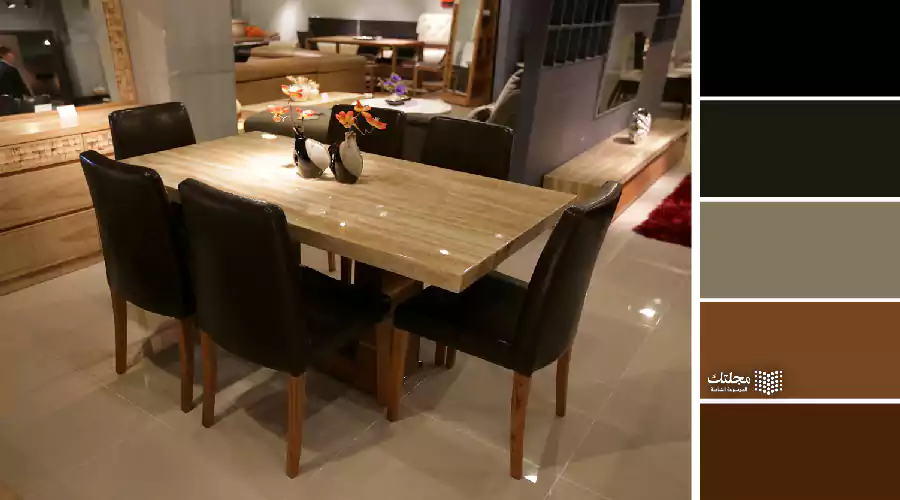
It's no surprise that neutrals have their own place at the top of the list, but with browns there is some special!

Not all shades of brown are suitable for black. Be aware that dark shades of brown cannot be coordinated with black, even if it is on the fashion line for this season, as it remains a seasonal fashion.

In contrast, the light shades of brown can be coordinated with black with ease, and this arrangement is characterized by a modern, practical, warm and very elegant character all at one time.

3 - brown with white

3 - brown with white

In fact, white deserves a place on this list as number 1. You can imagine how it goes with brown, and this applies to light and dark tones.

It is not only because white is a neutral color and will suit all colors, with brown it is different, it is a coordination that looks like natural in the winter, it looks like cat's chin flowers, and jasmine flowers...

4 - brown with indigo

4 - brown with indigo

Also, this arrangement is inspired by nature, and is perhaps the most luxurious and elegant arrangement with its warm colors, in addition to being a combination of strength and boldness.

If what you're after is a classic, rugged look that is pleasing to the eye and soothing the nerves, balanced between the high energy wave of indigo and the soothing wave of brown, then this is exactly what's right for you.

5 - brown with beige

5 - brown with beige

Is it reasonable to talk about colors that fit with brown and not beige among them? Of course, this will not happen, as beige is the lightest and most neutral shade of brown.

If you are a fan of styles that rely on monochrome technology (coordinating several shades of one color), then you are in the right place. You can combine beige and brown without hesitation.

Although this combination is great but can sometimes be boring then you can add a strong tone or a strong color to break the boredom, which color would you add? Here: What are the colors that suit the beige color in clothes .

6 - brown with pink

6 - brown with pink

Pink is wonderful and is considered one of the most important colors that suit brown, whether you rely on brown in any degree, or specifically on pink brown (but it will be very impressive).

Do you know where I've seen this format before? Yes, it is true, it is one of the most popular colors chosen for chocolate boxes and Valentine's Day boxes... because it is a very feminine arrangement.

7 - Brown with light blue or baby blue
7 - Brown with light blue or baby blue

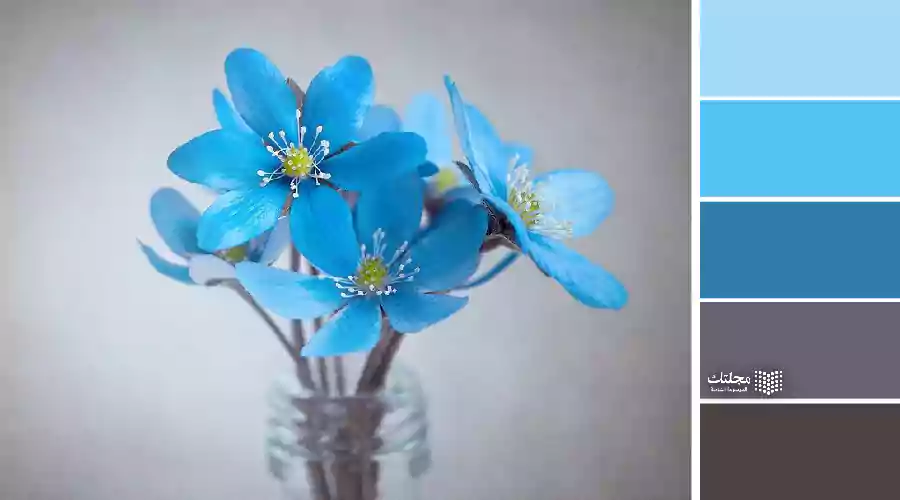
Whether we are talking about quiet grades of light blue, or degrees pastels any Baby Blue , they are one of the most grades that are in line with most of the brown tones of it!

It's an arrangement inspired by nature, that's all around you no matter how you look... We're talking about the morning sky and the earth, about the sea and the sands of the beach...

8 - brown with yellow

8 - brown with yellow

The most amazing duo, and how not and yellow and brown are so close together on the color wheel, the two are no different in how adorable they are together!

Here's the secret of this coordination... Yellow, whether strong tones or calm tones, is in fact a vibrant color, while brown is a color that tends to be calm, this balance is the secret.

With brown and yellow you can go too far, you can add a lot of yellow with a little brown, you can reverse the equation and make brown more than yellow.

9 - Brown with mustard or turmeric color
9 - Brown with mustard or turmeric color

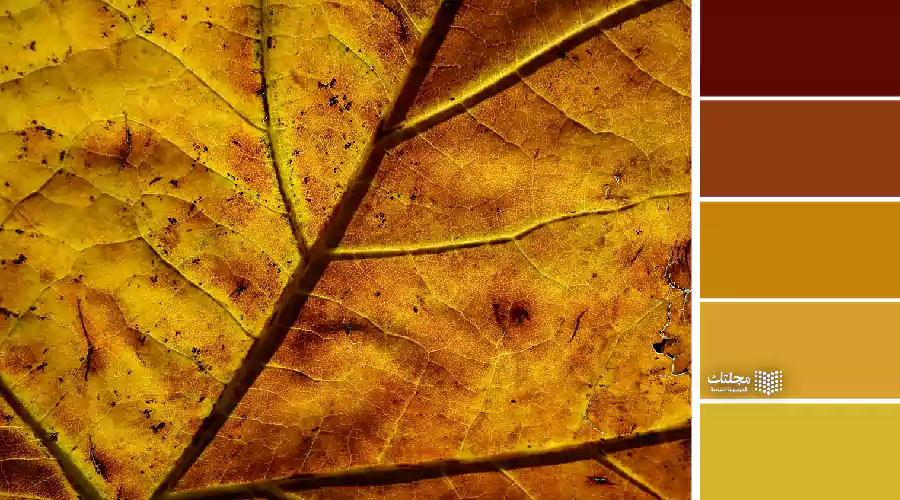
Mustard or turmeric has a charming effect that draws attention, it is a very warm and vibrant color, and this is what makes it a color that is able to balance brown.

If you are a fan of the colors belonging to the yellow family, be sure to add mustard to your ensemble especially with brown… It looks great in winter, right?

10 - Brown with lilac

10 - Brown with lilac

Brown with lilac… Do you remember lavender flowers blooming in the sun? Do you remember the fragrant smell when you put lavender in your incense pot? Did you feel warm?

These are precisely the feelings with which coordination, warmth, peace, calm, strength…we can say that they are colors that tend to some extent to be feminine. If what you're looking for are shades that go with brown and are extremely warm, don't hesitate to count on lilac.

11 - brown with red
11 - brown with red

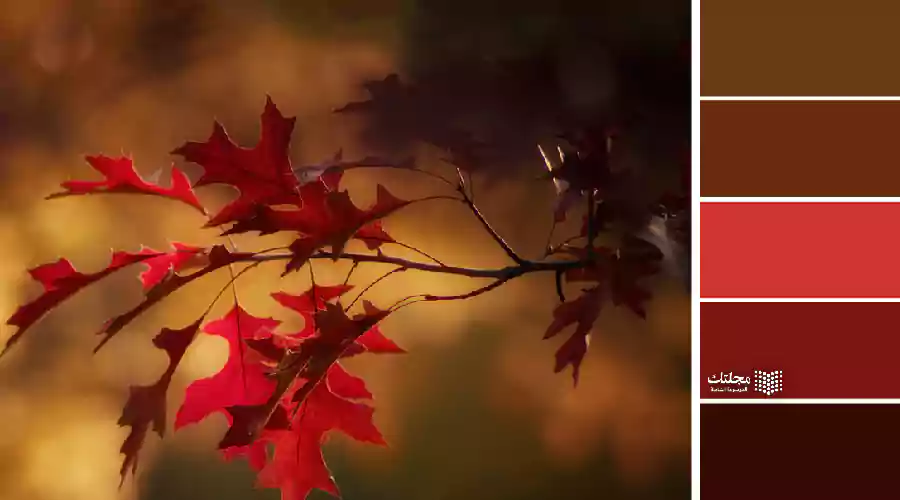
Did you just think of something? You might have imagined the look of autumn, and in front of the distant sun there are brown trees and leaves ranging from yellow-red to orange (by the way, we won't forget the orange on this list!).

Red and brown are traditional styles but never out of influence, this combination is functional, soft and elegant you can always discover a lot of new things about.

12 - brown with gray

12 - brown with gray

You may not have thought before that gray is on the list of colors that go with brown... but it is already here!

Although brown and gray are neutral colors, but the right choice of shades and adding a strong color will restore balance and give warmth, strength and life. And if you are looking for colors to add, here are the colors that suit gray… The 20 best colors that go with gray

13 - brown with brown

13 - brown with brown

We are talking about colors that go with brown, and of course brown will be among them, especially in clothes, depending on a complete look in one color and one shade.

Looks like these are easy to coordinate all you need to do is pick out pieces in the same color, and it doesn't end with easy matching! They are elegant and the pieces themselves will look more expensive and elegant if they are coordinated in this style.

If you are a fan of brown, choose the shade that suits you and rely on it, and if you find the coordination boring, add a color that contrasts the chosen shade of brown (add a light color if the shade of brown is dark, and dark if the shade is light brown).

14 - Brown with copper

14 - Brown with copper

No clothing arrangement, no decor, or any color palette is devoid of metallic... When we say “the metallic color or the effect of metal,” copper is the first thing that comes to your mind with brown.

It is worth noting that copper is not only a great choice when it comes to metal pieces, but the shade of copper itself will go well with brown. So think about adding it to brown.

15 - Brown with golden

15 - Brown with golden

If you are not a fan of copper and these shades with brown make you bored, then here is the gold.

The golden color has a sunray effect, it is so beautiful, eye-catching, much more warm than you can imagine, and it will go great with all shades of brown, whether dark or light.

16 - brown with silver

16 - brown with silver

Just because we talked about copper and gold does not mean that brown does not suit silver, although it would be great with gold but have you tried adding silver to it?

It may outperform gold, especially with light brown tones, and those that tend to be red, you can trust silver with the effect of metal.

Note: Silver with brown is a middle state between the effect of white and the effect of gray.

17 - Brown with olive

17 - Brown with olive

Quiet and lighter shades of green go well with brown, but you might not expect but olive and darker tones as well here.

Of course yes, and this is an arrangement inspired by nature, and here we are talking about dense forests, the leaves of large trees, and the bark of the tree… the earth and the small grasses…

18 - brown with orange

18 - brown with orange

I told you that we will not forget orange in this list, and how to forget it is a warm color that goes well with brown!

This combination of brown and orange resembles autumn in terms of warmth and romance, and spring in terms of life and vitality.

19 - Brown with fuchsia

19 - Brown with fuchsia

Do you feel that it is strange? If you like calm and classic colors, it is natural that you feel strange about fuchsia in general, considering it a strong color.

But here is the importance of adding it in small quantities to brown, because it is able to create a unique balance.

20 - Brown with turquoise
20 - Brown with turquoise

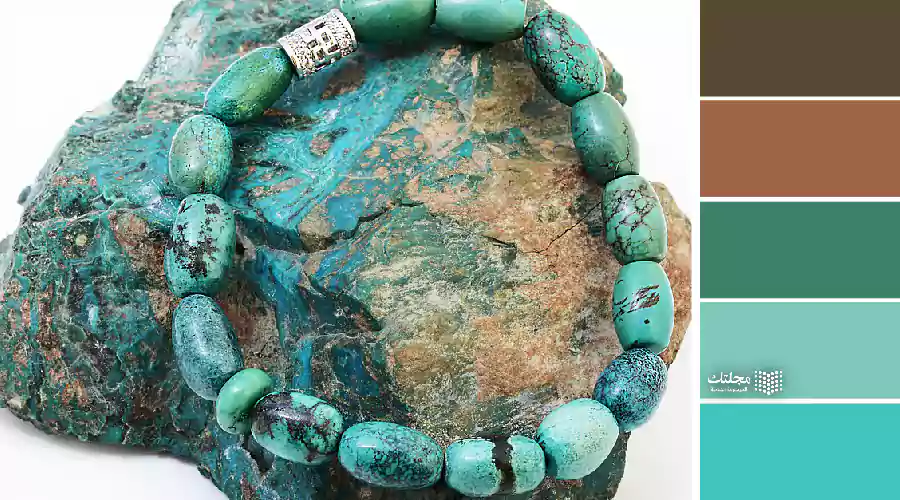
Finally, the most unique color, turquoise, this arrangement inspired by turquoise stones, which has distinctive patterns in shades of dark and light brown… This amazing combination of turquoise and brown shades, you can always trust and rely on.

I guess you are not confused now about the colors that suit brown, as much as you are confused about which of these colors to choose... Each has its own warmth, impact, and beauty.

Sources

10 trusted international sites to buy everything you need

 10 trusted international sites to buy everything you need


Suppose you need a product or a commodity that you want to buy from the market (and let's say here a camera), it is natural that you search for the camera that you want through the Internet to know its specifications, features, available brands and prices. It is available in the market and shops near you.

Certainly in this case you will seek to get the camera at the lowest price and save yourself more cost. This is one of the most important reasons that push people to shop and buy from global shopping sites that provide online sales services and ship products and purchases to any place where the customer is, for simple costs, and in many cases they are less than those we would have paid if we bought from nearby markets and stores from U.S.

Reliable global shopping sites selling various goods and products

When talking about online shopping, there are many and many shopping sites, including international and local ones for certain countries and regions, in addition to electronic stores specialized in specific types of goods and others that specialize in certain brands. Here we will learn about 10 famous and trusted global shopping sites that we can rely on when we want to buy a product or a commodity electronically online.

10 trusted global shopping sites to buy everything you need

1 - Amazon

Visiting site

There is no need to talk a lot about this company, of course, it is known to the majority, as it is the company that provides through its giant store everything you can think of in terms of products, goods and even electronic services such as booking servers for websites, cloud storage and broadcasting videos from movies and series, as well as books, electronics and clothes And hundreds of other categories.

As well as shipping to various destinations around the world, the guarantees it provides to customers and customers, the cash on delivery service, and the offers that hardly leave its site, which is visited daily by more than 80 million visitors from around the world, which made Amazon the largest company ever in terms of online shopping.

2 - Ali Express

Visiting site

You may have heard of this store before, as it has become in recent years one of the major companies in the world of online shopping and is no less important than Amazon, despite the vast difference between the two. Ali Express is a Chinese trading company that offers in its online store various forms of goods and products at cheap prices, which makes it the first destination for merchants to import from and then sell in local markets.

Of course, this does not mean that it is for merchants and importers only, but also that individuals from around the world can shop through it, so that their purchases reach the country in which they are located within a few days, not more. This is in addition to many other features of the site, such as secure payment in order to protect users from fraud, and the various payment methods it provides, including Western Union and credit cards.

Read also:  A group of Saudi online stores that provide a great shopping experience

3 - Shopping

Visiting site

Since we are talking about international shopping sites, this site must be mentioned, although unlike the previous two sites, it does not provide the ability to browse in the Arabic language, as does Amazon and Alibaba. Also, hundreds of products and goods are available in it, including furniture, electronics and clothing for various brands and companies.

And the options and discounts it provides are also no less important than those on Amazon, for example, as well as Shopping offers special discounts for merchants who buy from the site in large quantities.

4 - Ebay

Visiting site

It is an auction site, but it is nevertheless counted among the global shopping sites because it is through which various forms of goods and products can be purchased, including used and old goods. The site does not itself sell products, but it acts as an intermediary between the buyer and the seller only, as the owner or owner of the product displays his products or what he wants to sell on the site for shoppers to buy from the site’s surfers.

Products on display can include jewellery, clothing, electronics, musical instruments and much more including artworks from various sculptures and drawings, as well as antiques and coins.

10 trusted global shopping sites to buy everything you need

5 - Walmart

Visiting site

From children's toys to kitchen gadgets, accessories, sports equipment, and hundreds of other categories, you can find Walmart for people around the world to shop and buy products and then have them shipped to their whereabouts at affordable and often cheap prices thanks to the offers and discounts that the store offers to its customers.

The site also allows merchants and manufacturers to display and sell their products through the site in exchange for a commission earned on each sale made through it, in addition to the different payment and shipping methods available when purchasing from the site.

6 - Souq Souq

Visiting site

It is true that it is one of the electronic stores directed to the Arab countries only, but despite that it is counted among the list of famous international shopping sites, especially after it was recently acquired by Amazon, which made it the Amazon branch in the Arab region.

The store offers various goods and products from local and international brands in exactly the same way that Amazon offers in its main store that we talked about at the beginning of this list. On his commission in return for the sales that take place through him.

7 - Sivvi

Visiting site

Men's and women's fashion, accessories, cosmetics and children's fashion can all be found on this website that specializes in everything related to fashion and fashion. It is an online store belonging to an Arab trading company, and it provides shipping options to various countries of the world, including the option of fast shipping, in addition to the possibility of free replacement of purchases. . The site is available in both Arabic and English, in addition to the application for smartphones, which can be shopped through as well.


8 - Namshi

Visiting site

Like the previous store, Namshi specializes in men's, women's and children's clothing, and displays clothing of various brands in addition to the latest fashions. Express and regular shipping services and payment in more than one way, including cash on delivery, and the ability to return or exchange purchases within a specified period of time from the date of purchase, all of which are available on the site, along with offers and discount coupons.

10 trusted global shopping sites to buy everything you need

9 - Alibaba

Visiting site

This store belongs to the same company that owns the Ali Express store, and it provides almost the same services from displaying the available goods and products, with a focus on wholesale and large quantities. Shipping services as well as the available payment methods and protection methods for sales that take place in the same stores. This store also provides the same product in different brands, and therefore the prices and specifications of products from different brands can be compared to determine the right product and purchase it.

10 - Focalprice

Visiting site

We conclude our list with this Chinese store, which provides various electronic devices and gadgets from computers, phones, tablets, smart watches, and more. The store focuses on displaying Chinese products in the first place, along with the products of other non-Chinese companies, of course.

Express shipping services, payment upon receipt, and the ability to pay through many available methods such as bank cards and bank accounts are all available on the site, and customers can buy what they want with ease and ease.

Thus, we have known 10 reliable global shopping sites that offer various forms of goods and products with express and regular shipping services, various electronic payment methods, payment services on receipt, and even the possibility of returning or exchanging purchases at some of these stores.

Sunday, June 2, 2019

How To LMS: Certificates! Comparing Different Alternatives In Moodle Certificate Plugins


An LMS’s ability to generate quality certificates easy is a must have. Teachers and admins have the tendency to think of them as requirements, paperwork. But what if certificates were more than that?
From a user point of view, certificates might be seen as just another requirement. But as professional networks and learning experiences evolve, certificates become strategic assets that can more truthfully reflect acquired skills, performance and overall talent readiness.
And not least, from an entrepreneurial side of things, many innovators see digital certificates as a booming opportunity. Add the promise of decentralized verification (yes, the word “blockchain” is thrown here and there) and you have an explosive cocktail of high expectations and the potential for groundbreaking innovation.

Why use certificates in online learning?

Motivation is the energy that gives behavior direction and focus. We all know intuitively that intrinsic motivation is best, but extrinsic motivation can work too.
Certificates can be an important, visible element of e-learning that can motivate and reward people for the initiative they take to learn new skills. Properly implemented, they can be a key element of social learning, especially if it is the direct result of efforts made by students that their peers can easily see (and replicate).
Obtaining a certification should be a challenge. It should be aligned with important and valuable competencies that your organization cares about. Even thought there is a negligible cost to producing a certificate, issuing them indiscriminately will dilute their perception of value.
In order for a certificate to be a motivator, it must be a reference to true value, be it in general or in the context of an organization. In other words, a certificate must be credible. Certifications must be a clear gate of opportunity for those who have earned them, and ideally would be correlated with an increased level of trust on the part of the organization. Higher and harder to earn certificates should allow the corporate learner the right for more initiative, which is just another way to say that organizations must be able to take advantage of the higher skills in which they have invested.
Otherwise, a certificate is just a piece of paper.

Moodle Certificates

Out of the box, Moodle does not offer an option to reward students through a certificate. But if you know a little about Moodle, you will quickly see that this is the opposite of a drawback.
Over the last 15 years, the global Moodle community has contributed more than 1,380+ plugins, which caters to new features and requirements. The Moodle plugins directory boast quantity and quality in plugins of all types, with dozens of them focused on certificatesalone. Every plugins has advantages and limitations.
We will cover three plugins, which you can use to create Moodle certificates:
  1. Certificate
  2. Simple Certificate
  3. Custom Certificate
Now, let’s discuss them one by one:

Certificate Plugin

The Certificate module creates PDF certificates/diplomas for students in a course. You can add borders, watermarks, seals, signatures, outcomes, grades, add custom text to a certificate via the settings menu.
Certificate module is among the top 10 most downloaded Moodle plugins in the last 3 months. The plugin is developed by Mark Nelson and is available for all recent Moodle versions.

Download – You can download the Certificates plugin from the Moodle plugins directory – https://moodle.org/plugins/mod_certificate.
The certificate module allows for the dynamic generation of certificates based on predefined conditions set by the teacher.

The Moodle certificates plugin provides many options like:
Issue Options:

  • Email Teachers: To alert the teachers through email when students receive a certificate.
  • Delivery Method – Choose here how you would like your students to get their certificate.
    • Open in Browser: Opens the certificate in a new browser window.
    • Force Download: Opens the browser file download window.
    • Email Certificate: Choosing this option sends the certificate to the student as an email attachment.
After a user receives their certificate, if they click on the certificate link from the course homepage, they will see the date they received their certificate and will be able to review their received certificate.
  • Save Certificate – Copy of each user’s certificate is saved in the Moodle server.
  • Required Minutes in the course – Here you can specify the minimum time that a student must be logged in the course before they will be able to receive the certificate
Text Options:
  • Print Date – The date to be printed on the certificate. You can choose to print the date based on when the activity was graded or the course completion date.
  • Print Code – A unique 10 digit code of random letters and numbers will be printed on the certificate that is specific to a user and the certificate. This number can then be verified by comparing it to the code number displayed in the teacher View Issued Certificates report.
  • Print Grade – You can choose to print either the total course grade, or the grade of a selected course activity of a user on the Certificate.
  • Print Credit Hours – Enter the number of credit hours to be printed on the certificate.
Design Options:
All of the design options can be customized. This includes changing positions of the images or text, adding or changing images

  • Certificate Type – The certificate type determines what and where things (if selected) will be printed. The Certificate activity comes with 2 paper sizes, with 2 font options
    • A4 embedded (fonts)
    • A4 non-embedded
    • Letter embedded
    • Letter non-embedded
  • Orientation – Select either landscape or portrait
  • Border Image – Select the border image that you want around the Certificate edges or select No border. By default there are two different border images each in 4 different colors.
  • Watermark Image – A Watermark file can be placed in the background of a Certificate. A Watermark could be a specific logo, seal, crest etc. By default two Watermark Images are included.
  • Signature Image – This option allows you to print a digital signature or print a line for a written signature on the Certificate.
  • Seal or Logo Image – Select a seal or logo to print on the Certificate from a repository of options. By default five seal images and an example logo image are available.

Limitations/Disadvantage of Certificate Module:

Although the certificate module provides the dynamic generation of certificates but the customization of the certificates is pretty difficult task. You need to have technical knowledge like FTP and PHP skills to customize these certificates.
The other drawback is that the Plugin maintainer Mark Nelson has dropped this plugin for any new features. He is now focusing on adding new features and options to another popular certificate Moodle plugin – Custom Certificate.

Simple Certificate

Simple Certificate is another Moodle plugin by using which you don’t need to change any code to add a new certificate format, and site administrator don’t need to upload image files. The certificate text are full customizable, using special text tags that will be replaced by variables (like student name, course name, grade, etc.)
Simple Certificate plugin is also based on the Certificate plugin but simpler to use, no needs to change any code to add a new certificate format.
Simple Certificate provides many options like:

  • Easy Uploading of Certificate Background Image
  • Certificate Text with easily customizable tags from a range of user profile fields.
  • Easily change the certificate width/height and the starting text position
  • Back Page of the certificate with custom image and text.
  • Printing QR code with verification URL.
The process to add a certificate is pretty simple and similar to the Certificate plugin.
The Simple certificate is developed by Carlos Alexandre Fonseca and is now supported for all supported Moodle versions.
Download – You can download the Simple Certificates plugin from the Moodle plugins directory – https://moodle.org/plugins/mod_simplecertificate

Custom Certificate

By far, the easiest and most flexible Moodle certificate plugin. Custom certificates also allows you to create certificates without changing any code. It offers complete customization of the certificate right within the browser window.

The plugin is developed by Mark Nelson and is available for all currently supported Moodle versions. The Plugin is also a part of very few plugins appearing on MoodleCloud.
Download – You can download the Custom Certificate plugin from the Moodle plugins directory through – https://moodle.org/plugins/mod_customcert

In the site administration, the Custom Certificate plugin offers very few settings like:
  • Show position X and Y – This will show the X and Y position when editing of an element, allowing the user to accurately specify the location. This isn’t required if you plan on solely using the drag and drop interface for this purpose.
  • Manage templates – This link will take you to a new screen where you will be able to manage templates.
  • Upload image – This link will take you to a new screen where you will be able to upload images. Images uploaded using this method will be available throughout your site to all users who are able to create a custom certificate

Adding your first certificate:

The custom certificate plugin once installed can be added just like any other activity in Moodle. Visit a course, turn editing on and click to add an activity.
The different options for the certificate configuration are:
  • Allow anyone to verify a certificate – Each certificate when issued is assigned a unique code. It is possible to have this code displayed on the certificate by adding it as an element. To validate a certificate a person (eg. employer) may want to enter the code displayed on the certificate to confirm that it is indeed authentic. With this setting set to ‘Yes’ any person with the verification link (including users not logged in) can do this.
  • Email students/teachers/others – These settings enable the emailing of a certificate when a user is able to view it.
  • Required minutes in course – This is the number of minutes a user is required to be in a course before they are able to view a certificate. This uses the logs in Moodle and hence can not guarantee the result to be 100% accurate.
  • Set protection – This determines what protection we want to set on the PDF like Print/Modify/Copy.
Once you have added the certificate activity, you can proceed to edit the certificate design. To do this, just click the Gear/Cog icon on the top right side and click “Edit Certificate”.
On the edit page, you will see the certificate dimensions and the margins. You will also see a list of different elements to add to the certificate.
The order of these elements decide when they are rendered on the PDF. So, if you were to add a background image you would want this rendered first. Each element defines what characteristics you can edit.
The elements (which are actually subplugins for the Custom Certificate plugin) which comes along with the Custom Certificate plugin are:
  • Background Image – Provide a background image for the certificate.
  • Border – A simple border for the certificate, you can define the color and width of the border.
  • Category Name – Will print the course category
  • Code – Will print a random 10 digit code on the certificate for better tracking and verification.
  • Course Name – Will print the course name
  • Date – Will print the date on the certificate. You can choose to print the course start date, course end date, issued date, completion date or any specific activity completion date.
  • Digital Signature – Add a digital signature of the person issuing the certificate.
  • Grade – Will print the grades obtained in the course.
  • Grade Item Name – Will print the name of the activity for which the student has been assessed.
  • Image – Upload and add an image to the certificate.
  • Student Name – Will print the students name
  • Teacher Name – Will print the teacher name
  • Text – Enter any custom text
  • User Field – Will print the selected user profile field.
  • User Picture – Will print the user profile picture on the certificate.
You can also delete the issued certificates for each user on the course report page.

Viewing Certificates

As a teacher, you can view the issued certificates in your course by simply clicking on the certificate activity and click on the link ‘View X issued custom certificates’.
As a student, you can view all the certificates issued to you through User Profile under ‘Miscellaneous’ section. Click on ‘My certificates’ and it will take them to a page listing all their certificates with the option to download them.

Verifying Certificates:

With the setting ‘Allow anyone to verify a certificate’ enabled any person with the verification link (including users not logged in) can verify a certificate. However, if it is not set, a user with the proper permissions (‘mod/customcert:verifycertificate’) can do this by clicking on the certificate to gain access to the link.
Click the Gear/Cog icon and then click “Verify Certificate”. Enter the code to verify its authenticity.

Managing Templates:

Site Administrators can create site-wide templates that can be used by teachers to create a certificate to a course, saving them from re-creating the same certificate over and over again. To create a template visit ‘Site administration’ > ‘Plugins’ > ‘Custom certificate’ and click on the link ‘Manage templates’. To create a new template, click on “Create Template”.
The name is what will be displayed to the users when they are creating a certificate in a course and would like to choose a template to load. You can add elements to the template, customise them and rearrange their position.
Once you are done, you can save the template and the teachers can use these templates to create their certificates.

You can also duplicate site templates via the manage templates page. It is again a very handy feature to create different certificate templates for let’s say different course categories.

Comparison Between different Plugins:

[table id=28 /]

Conclusion:

All the Moodle plugins for generating the PDF certificate are well maintained and used on many sites. But the ease of use and customization options offered by the “Custom Certificate” plugin makes it a clear leader among all. You can customize the certificate right within your browser with precision. You can also manage multiple certificates through the Templates functionality offered by the Custom Certificate plugin.
Is there any other way to add certificates in Moodle? Which certificate plugin you are using in your Moodle? Do share with us in the comments below.